There are a couple of reasons, why you may need to massively change WooCommerce prices: maybe exchange rates changed, or maybe your manufacturer or carrier decided to change their rates, or maybe you want to make a discount.
The possibility to update WooCommerce price massively is just necessary in such cases. Say, you want to increase or decrease the price of the products related to a specific category by 5%. Or maybe you want to update prices for all the products of your store. This can be easily reached with no need to perform any programmatical manipulations. Keep reading and find out how you can do this.
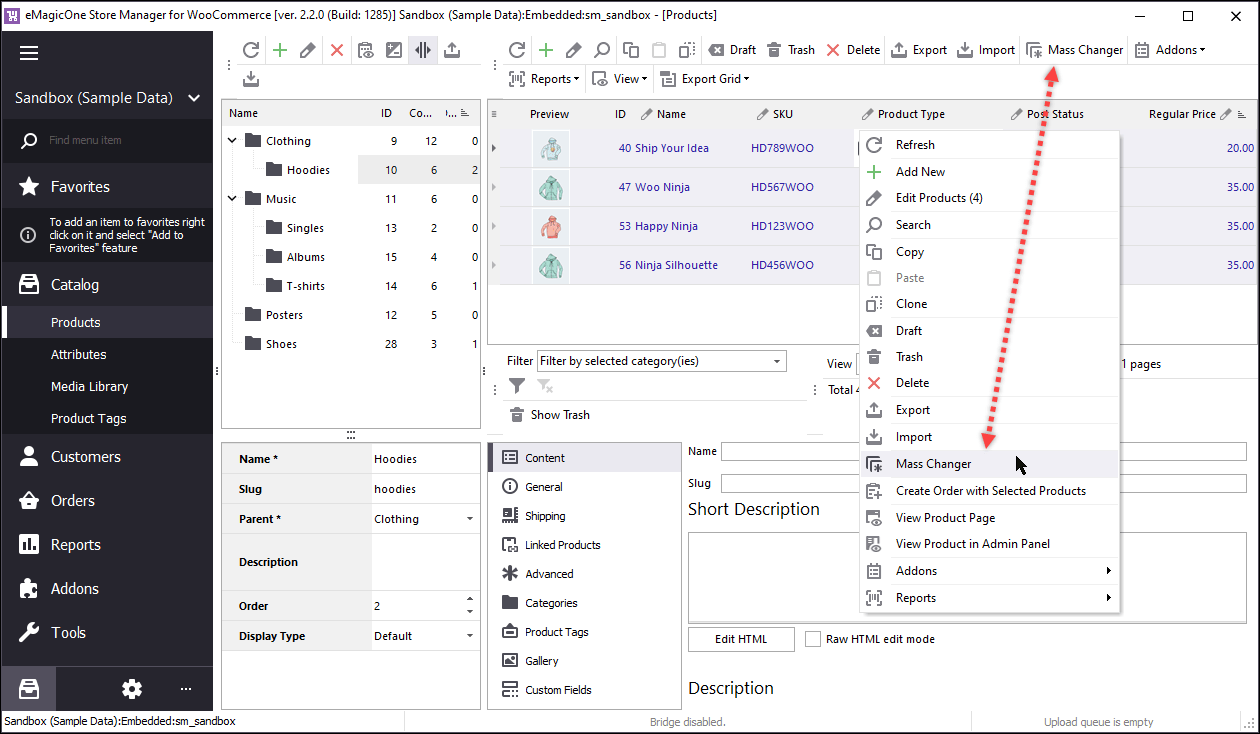
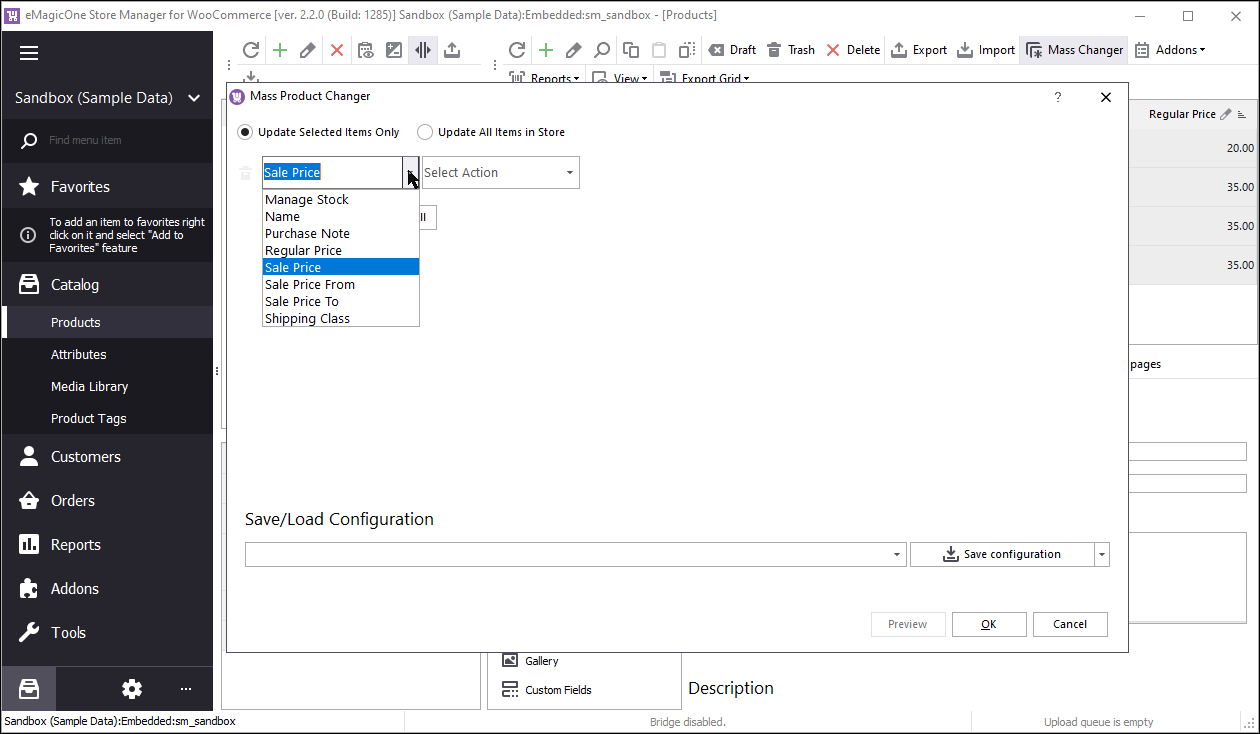
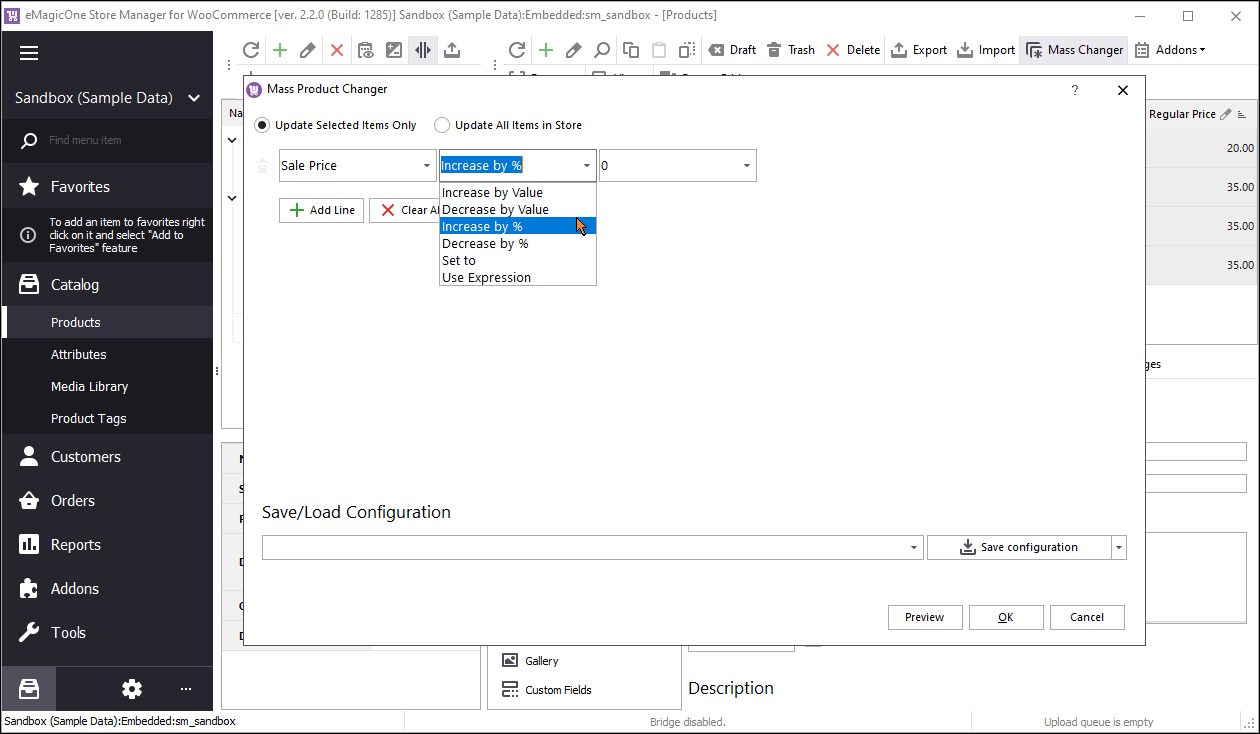
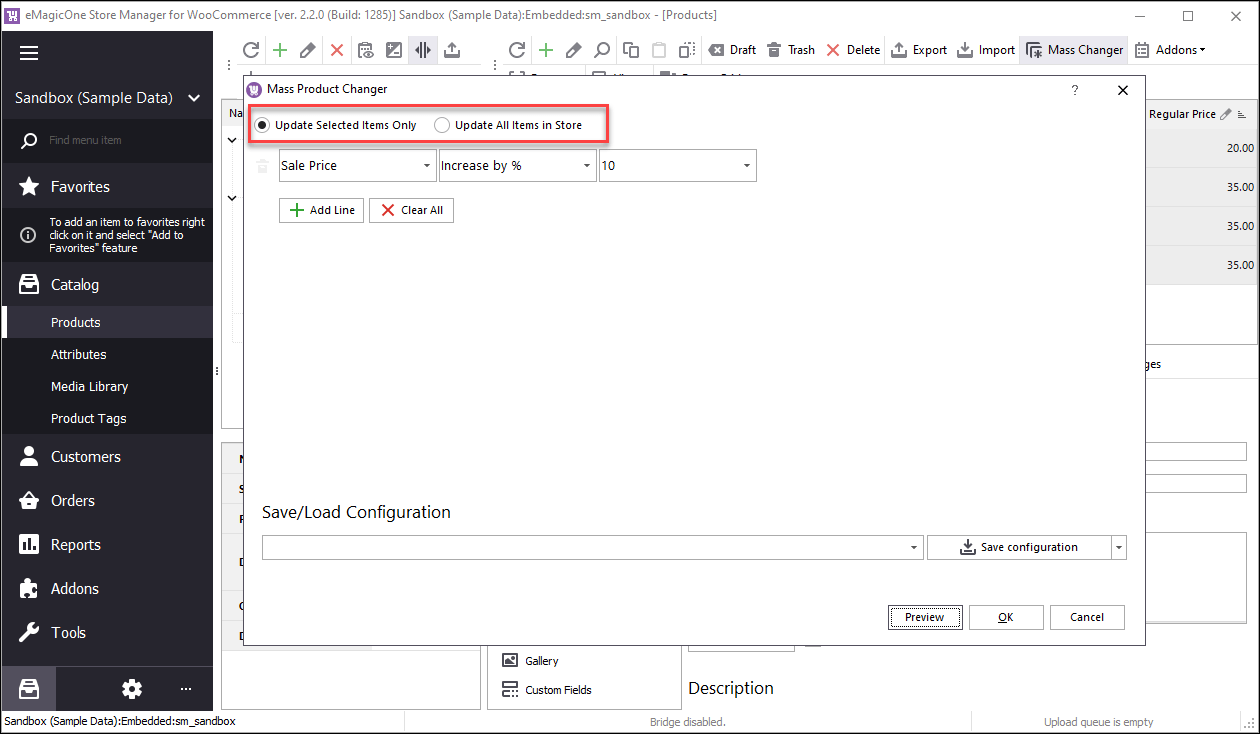
Store Manager for WooCommerce comes with Mass Changer tool that allows massive edits of product prices. It is possible to perform the following operations with Regular Price or Sale Price:
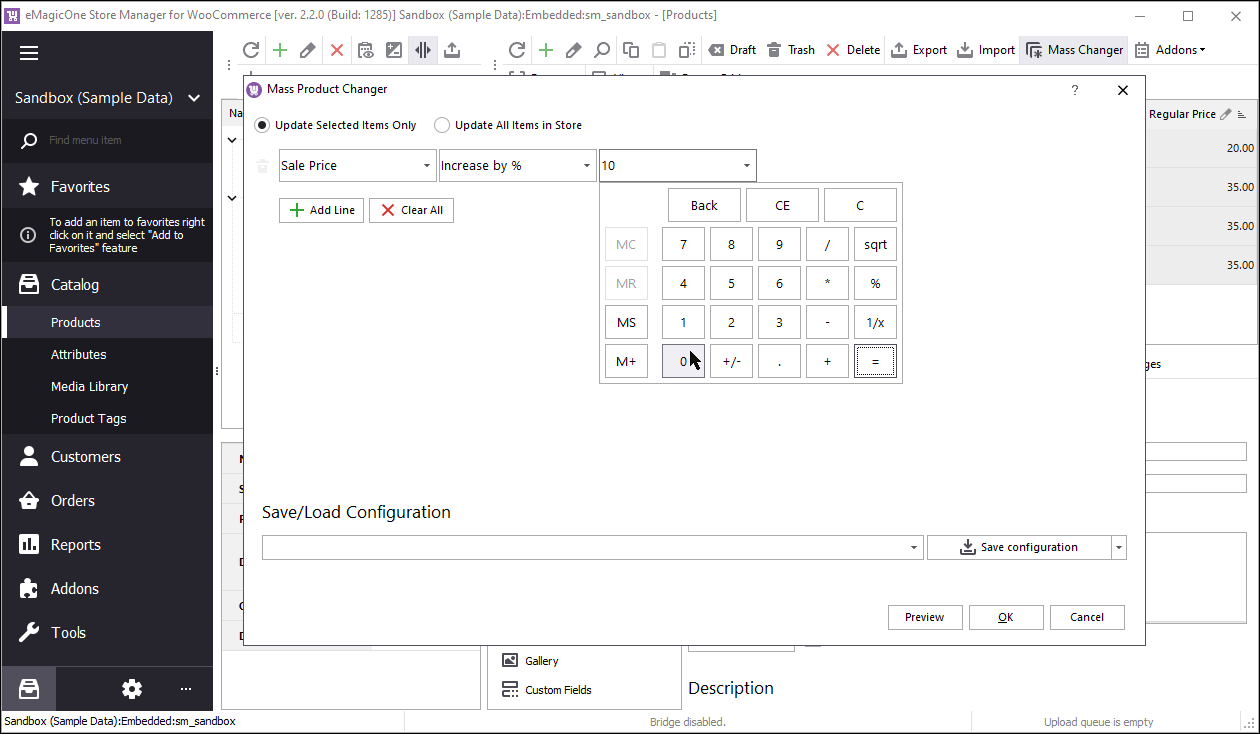
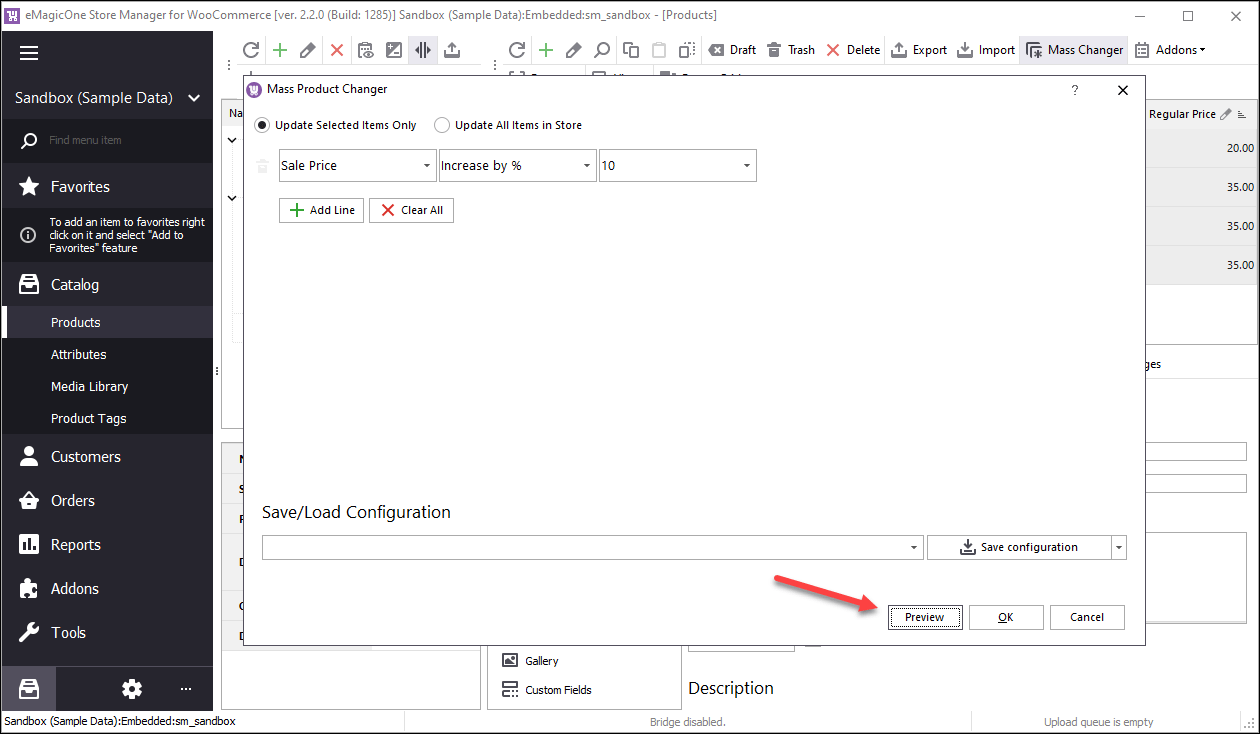
In order to properly configure WooCommerce bulk price update via Mass Changer, perform the following steps:
Find more details on how to put WooCommerce products on sale.
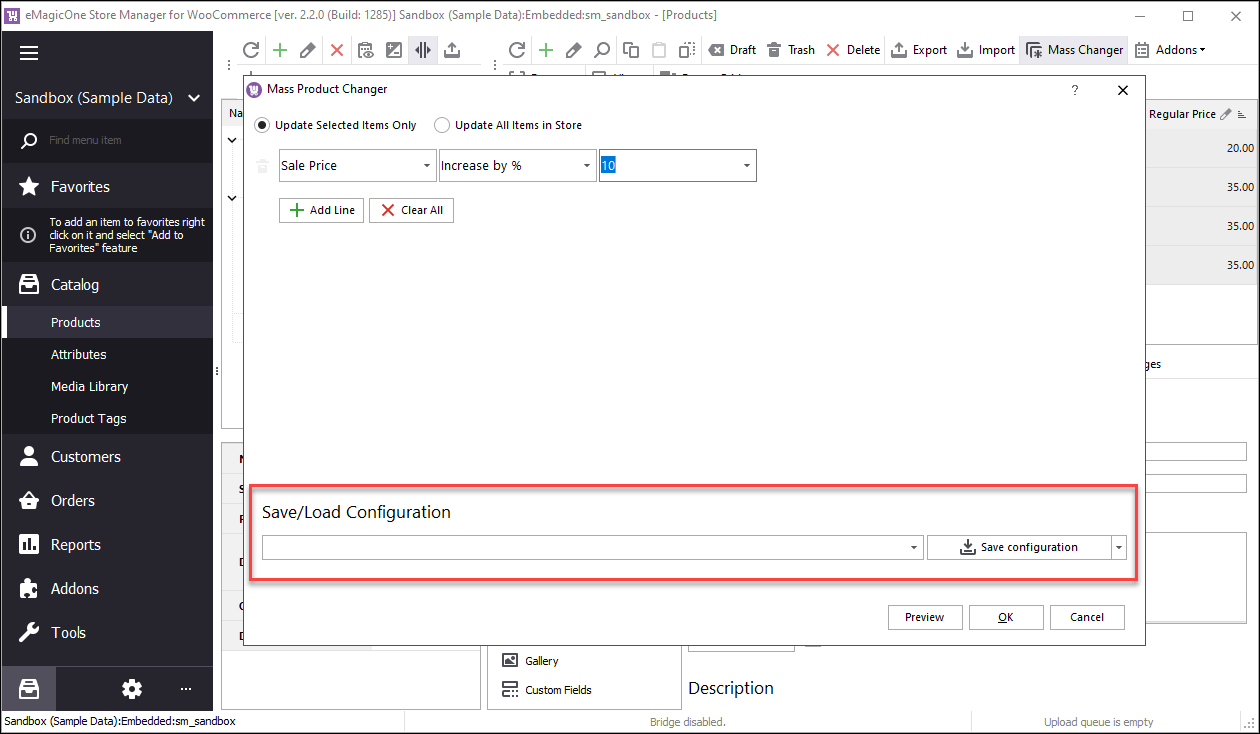
You can save the configurations and use them during the further updates.
As you might have noticed, Mass Changer tool allows simultaneous applying bulk changes to various data fields, such as stock, SKU's, shipping classes, tax classes, descriptions etc. You can do this by pressing 'Add line' button and configuring new updates in the same window. You just need to select necessary fields from the drop-down. That means that you can update a couple of data fields at one time what makes Store Manager exceptionally useful.