The ability to generate an invoice and send it to your customer inspires confidence and speaks for the store's reliability and secureness. Being able to create WooCommerce invoice and print it with no additional modules might become of great help for you.
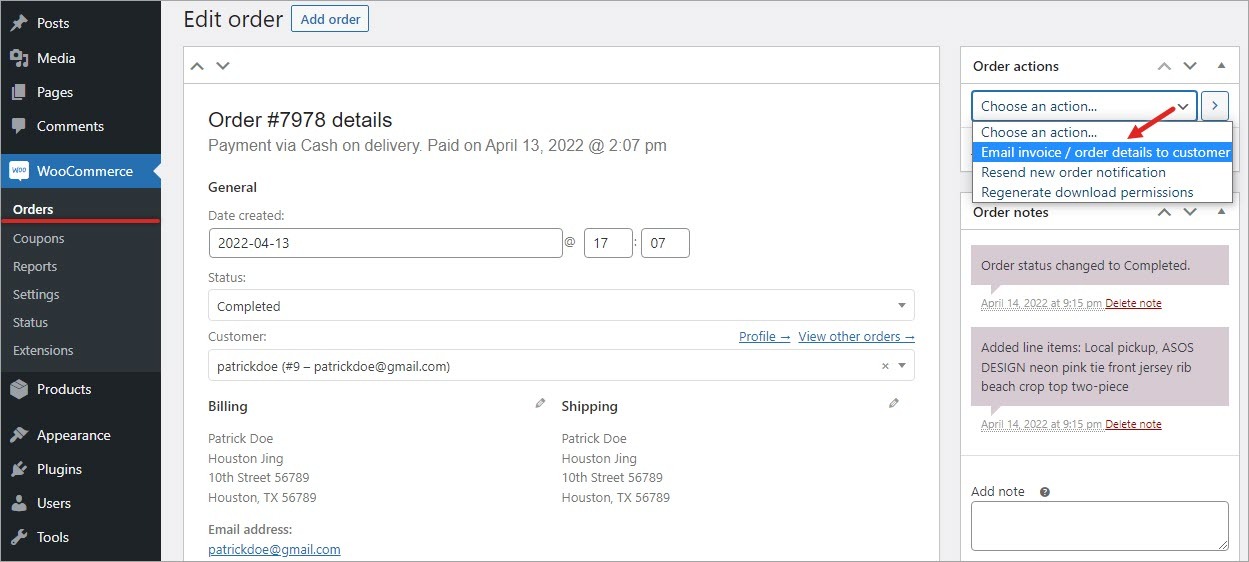
WooCommerce admin allows to email an invoice to a client, however it is impossible to generate an invoice from WooCommerce backend without special plugins.
In order to send the invoice from admin, enter an order and select the corresponding option from the 'Order actions' drop-down on the right.
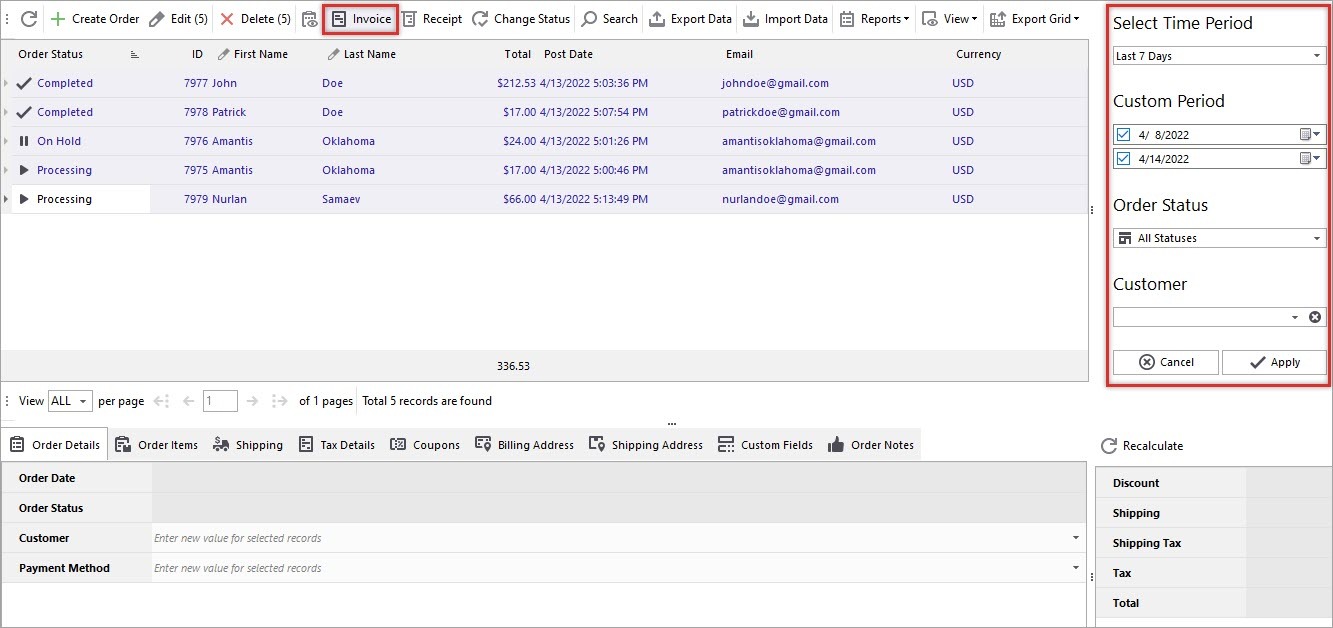
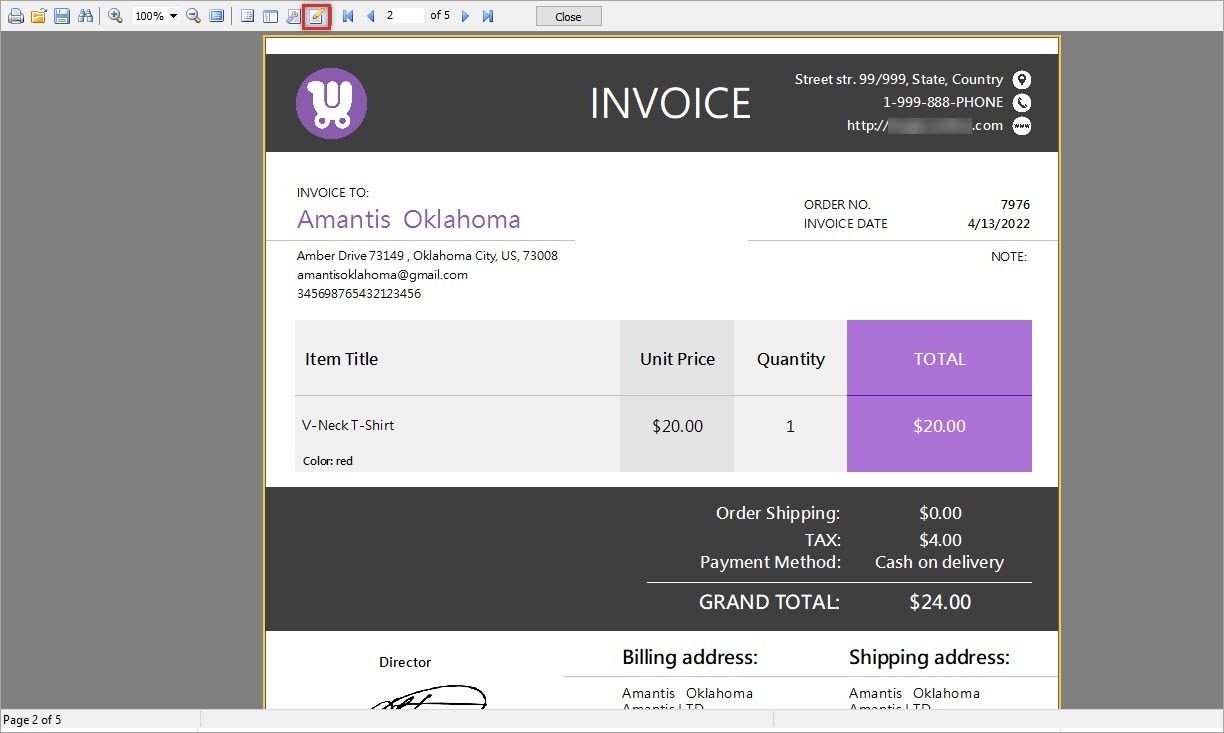
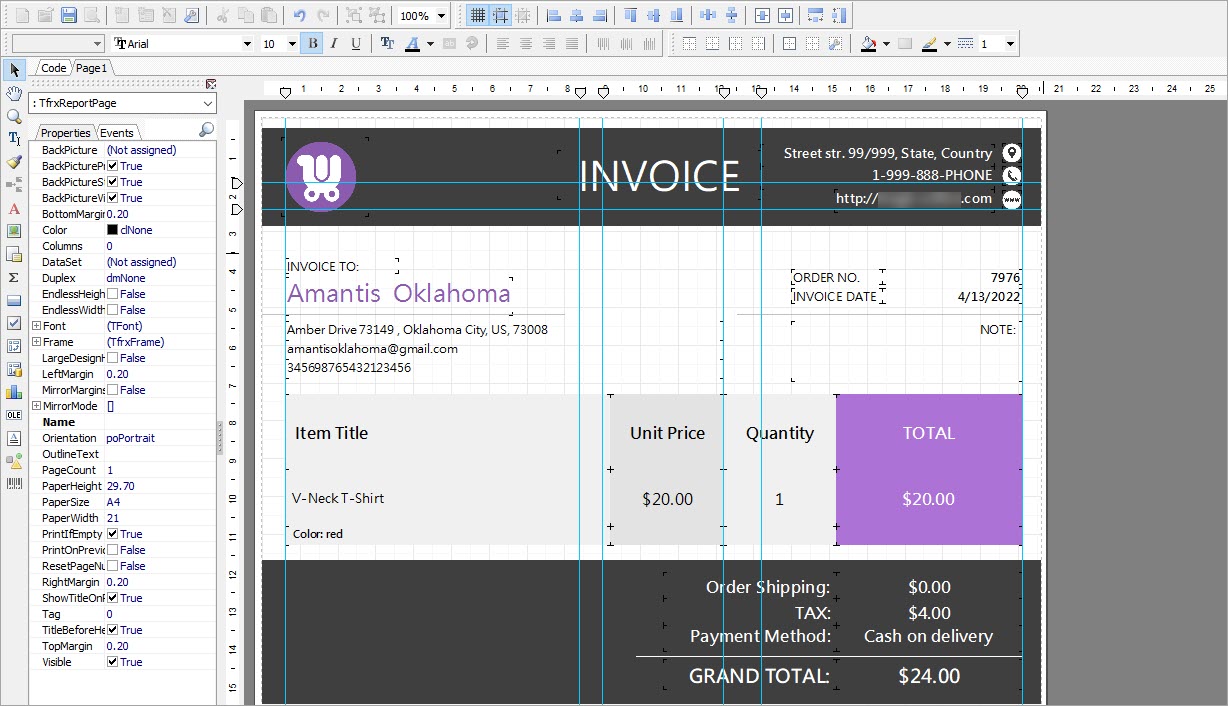
Using Store Manager, you can generate an invoice in one click and edit it the way you want. Besides, it is possible to create invoices massively.
Let's check how to perform the procedure in a quick manner.
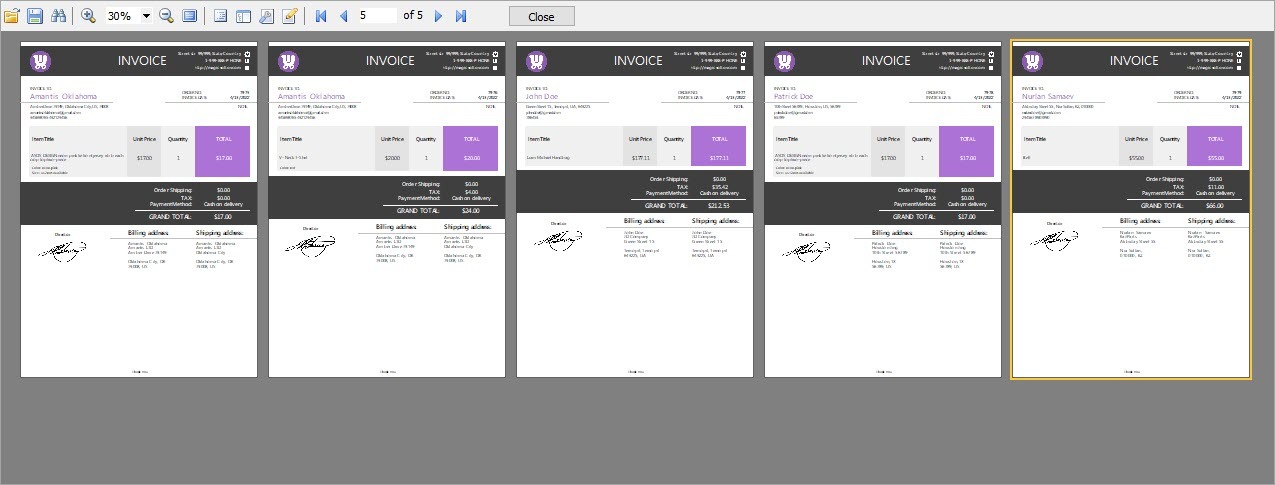
Store Manager for WooCommerce allows to create invoices for a bulk of orders. All you need to do is to select necessary orders and press the same 'Invoice' button. You can edit any of the files and print it.
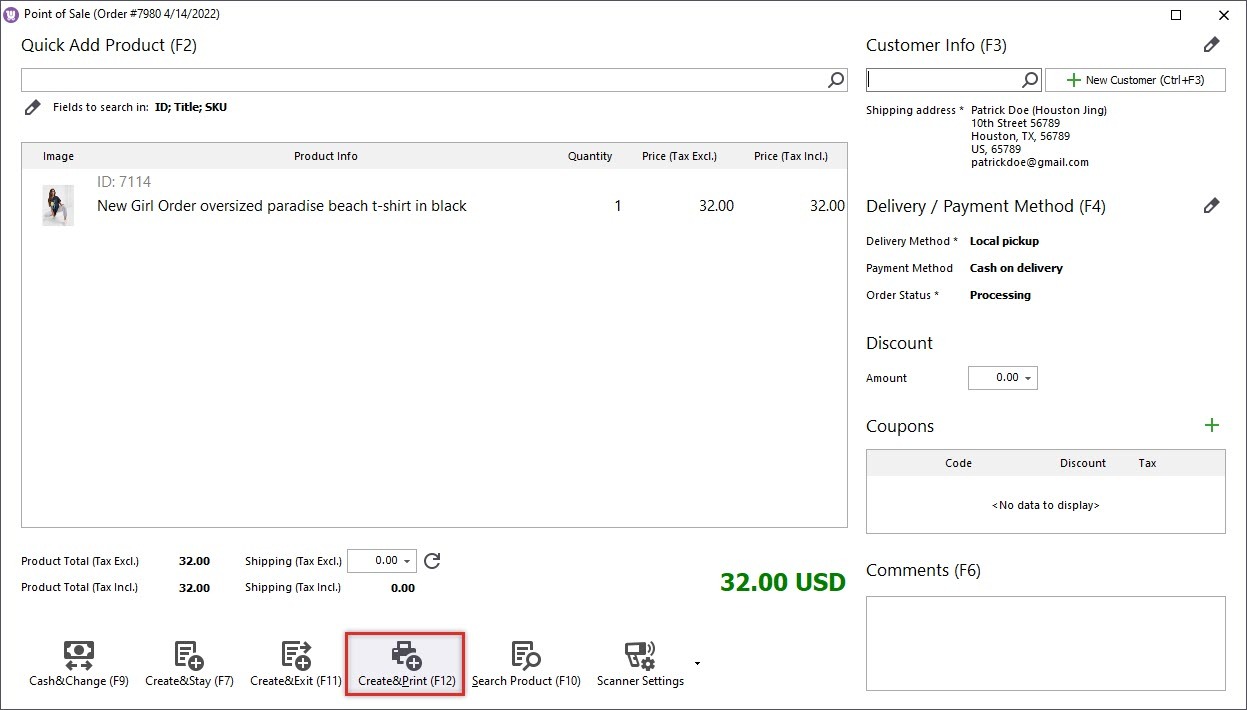
In addition, when creating an order via Store Manager's POS tool, it is possible to have the invoice printed right away after the creation by pressing 'Create&Print' button.
Invoice is an important commercial document containing the list of ordered products, their prices and purchase conditions and asking customer's confirmation to these conditions. Consequently, it is essential for online merchants to have an ability to create and issue WooCommerce invoices in a quick and convenient way.
You can try generating WooCommerce invoices with Store Manager downloading its free 14-days trial version.