One of the most important things you can do in terms of catalog management is bulk WooCommerce product update. Perhaps you are planning a sale with 25% off all the merchandise, or suppliers have changed base product cost and you need to synchronize with them, or descriptions are not complete and you have to renew them. Whatever the case is, single product editing will not be a way out. WooCommerce Mass Product Changer will do all the manipulations massively.
Mass Product Changer has been developed to simplify WooCommerce bulk product updates. It is one of the many tools provided by Store Manager for WooCommerce.
Store Manager for WooCommerce is a downloadable application that enhances the default WooCommerce functionality with tools for bulk edits, advanced import/export, database backup, data generation, and others.
If you don’t have Store Manager yet, download a free trial and install it on your computer. Connect the application to your store database and enjoy the simplicity of your store administration.
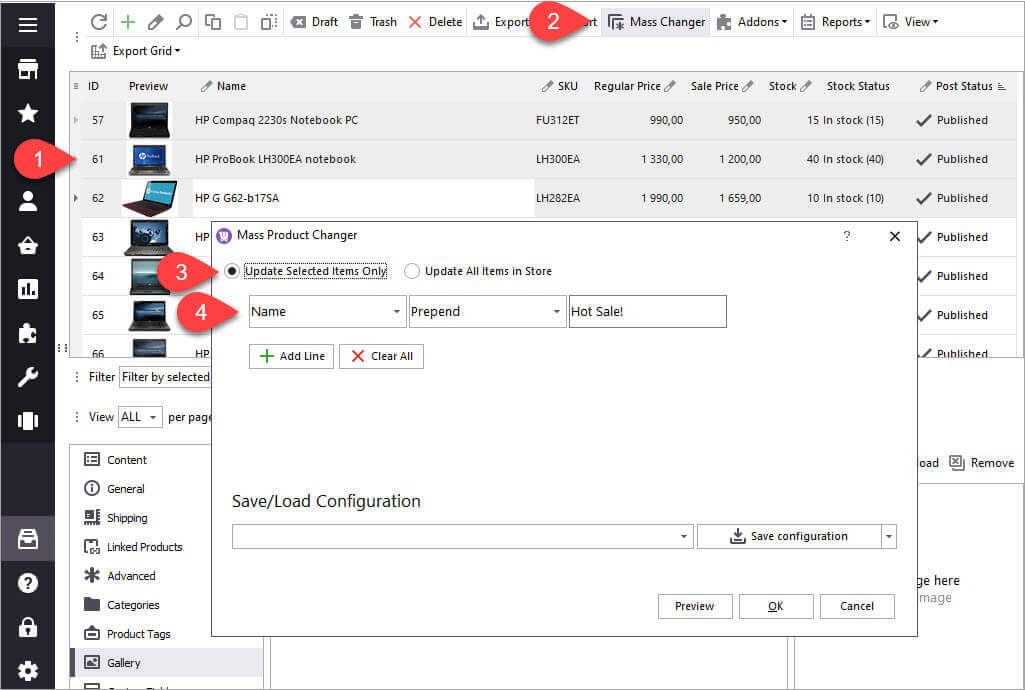
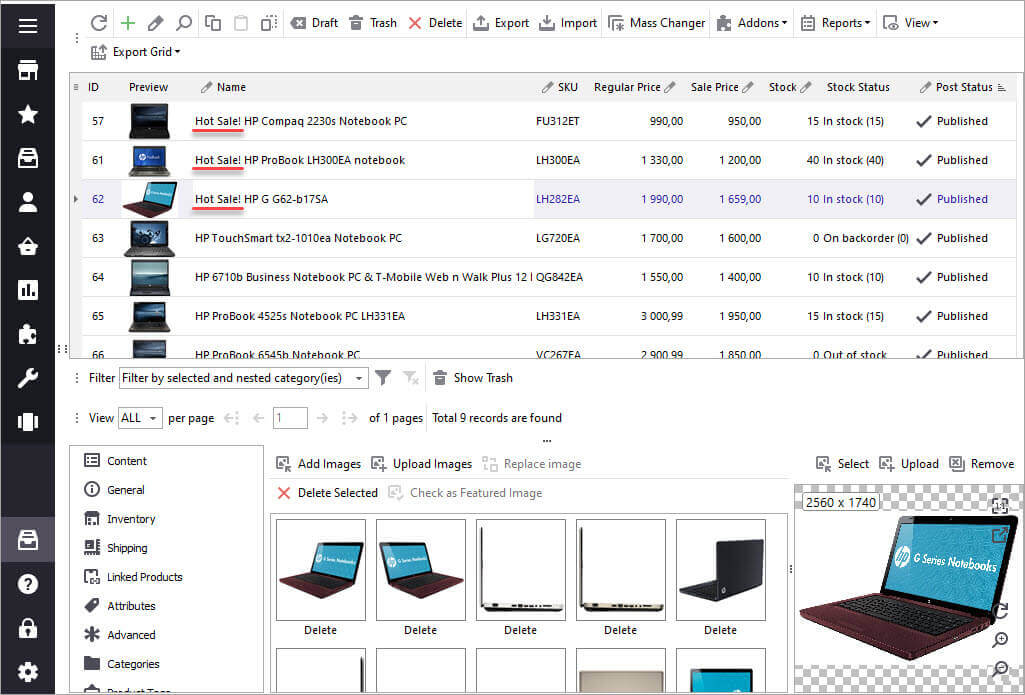
How to make bulk updates with the Mass Changer tool:
Here is a list of the fields that can be updated with Mass Changer:
Now when you know how WooCommerce Mass Product Changer works, let's try to update various fields and apply mass actions to them.
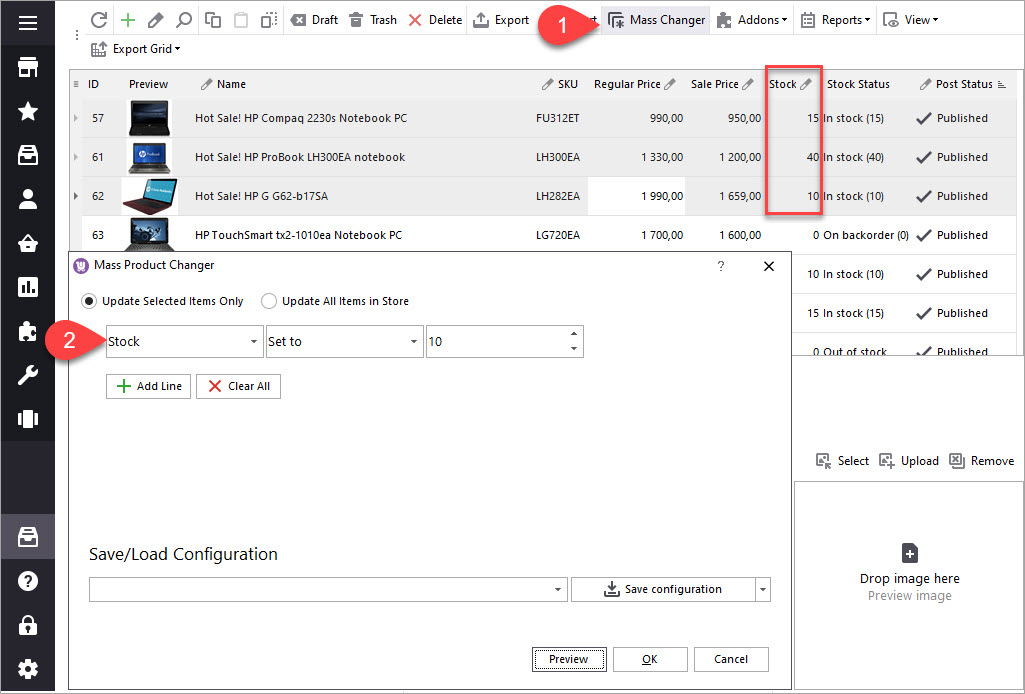
To set product quantity for multiple products, follow these steps:
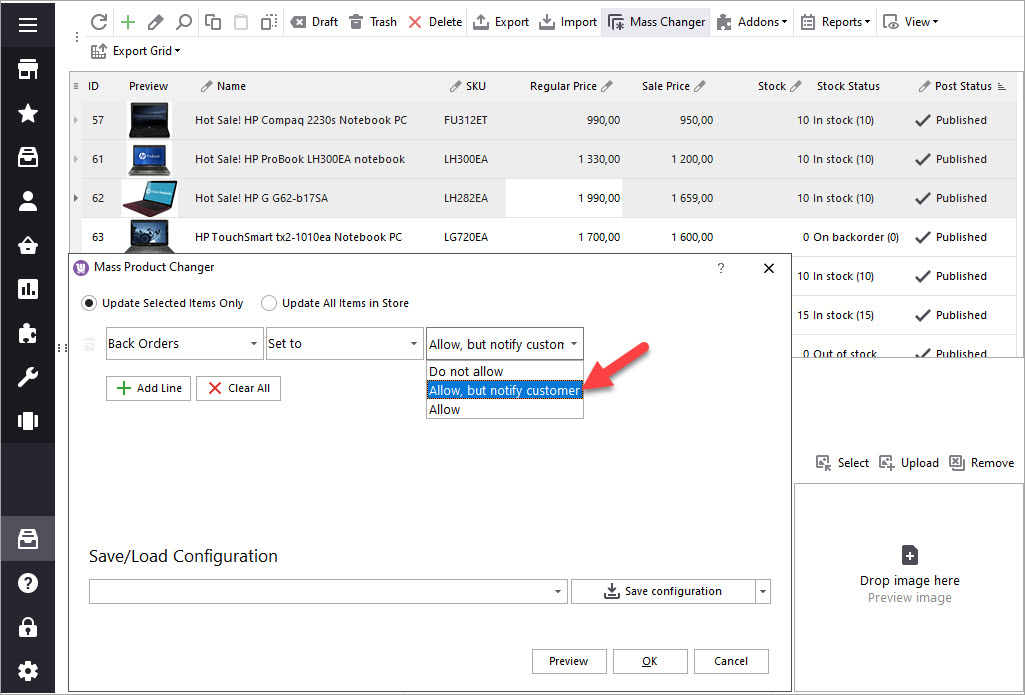
When WooCommerce products run out of stock, you can enable backorders for customers to be able to buy these products. Mass Product Changer handles backorders so you can enable, disable backorders or allow backorders with parallel customer notifying.
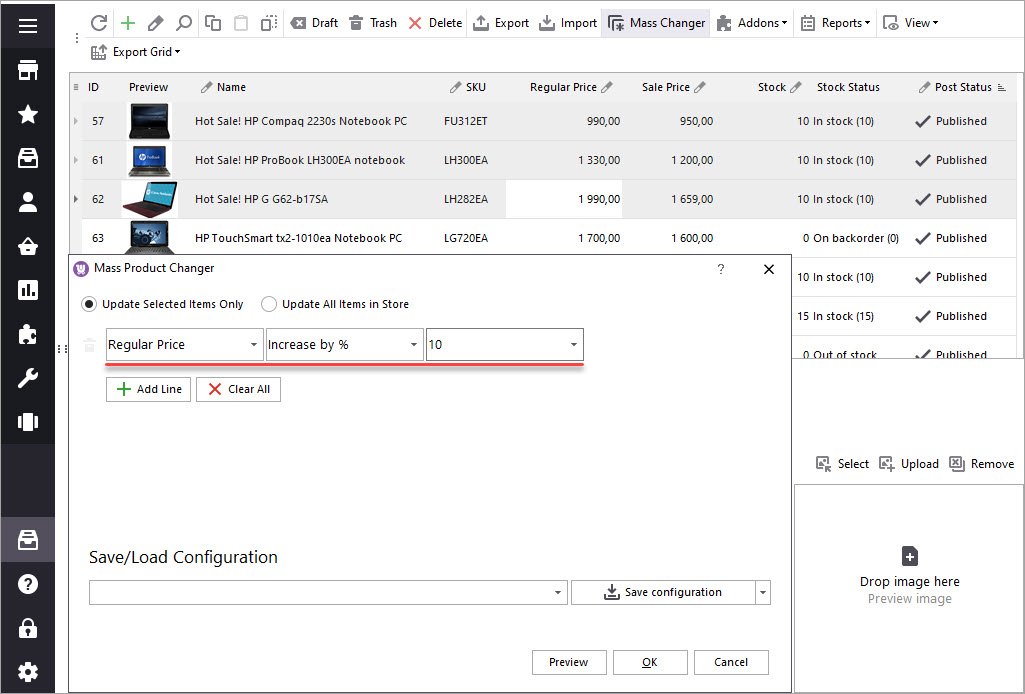
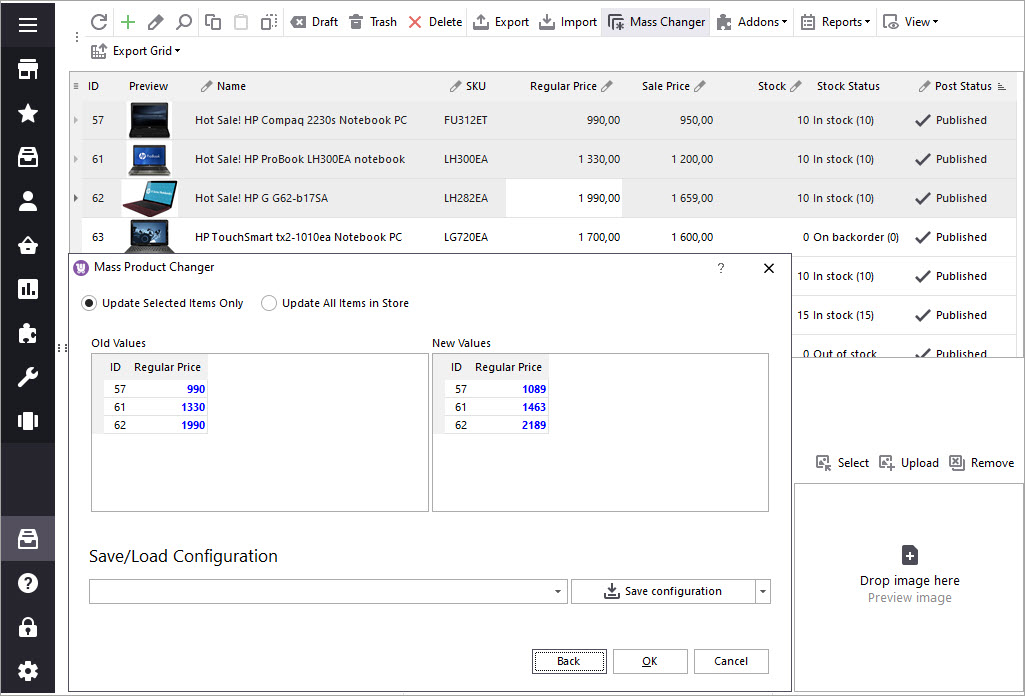
WooCommerce product price update is probably one of the most typical tasks in WooCommerce. And Mass Product Changer is highly flexible in terms of WooCommerce bulk price update. It allows you to increase/decrease prices by value or percentage, set a fixed price for the selected products.
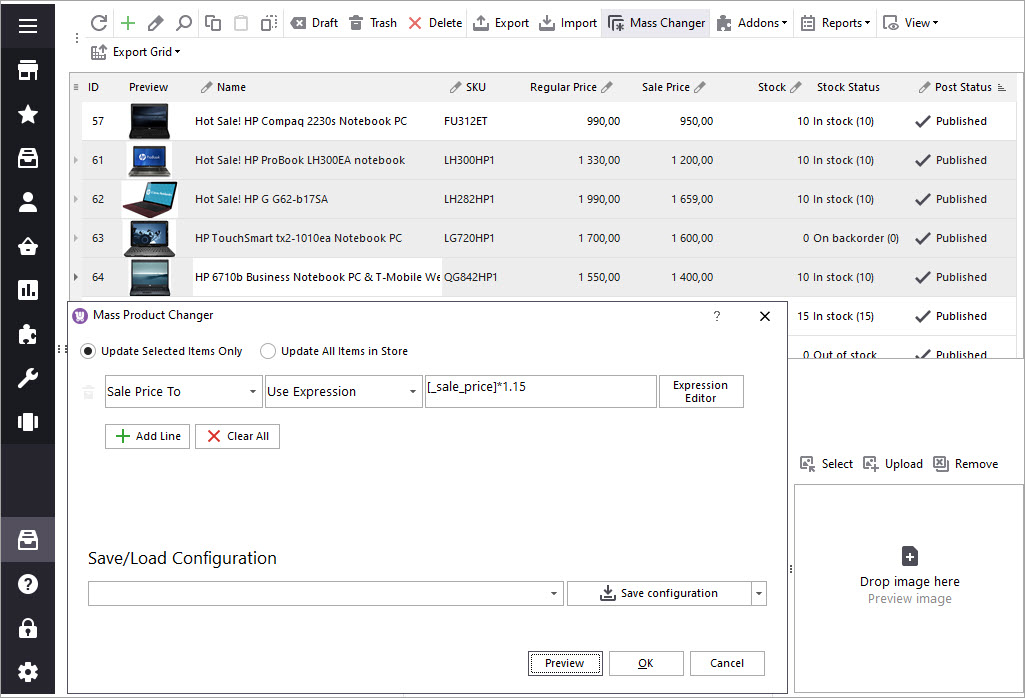
For example, to increase prices by a certain percentage, we need to do the following:
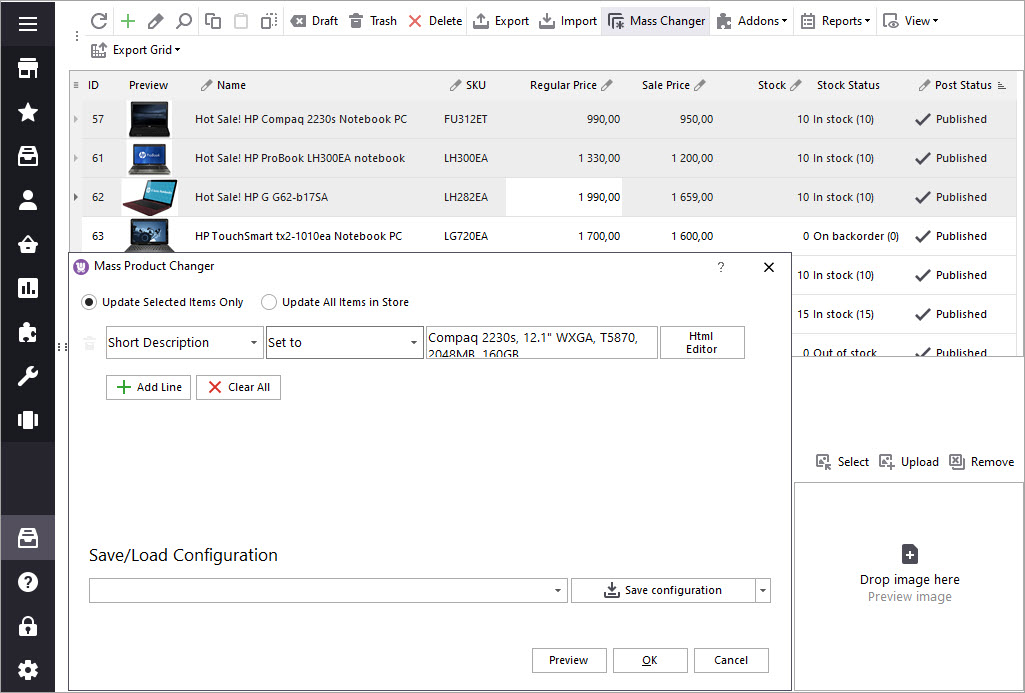
If your products are missing short description and you want to add it, the Mass Product Changer tool offers several options. A simpler way is to massively add the same short description text to all products.
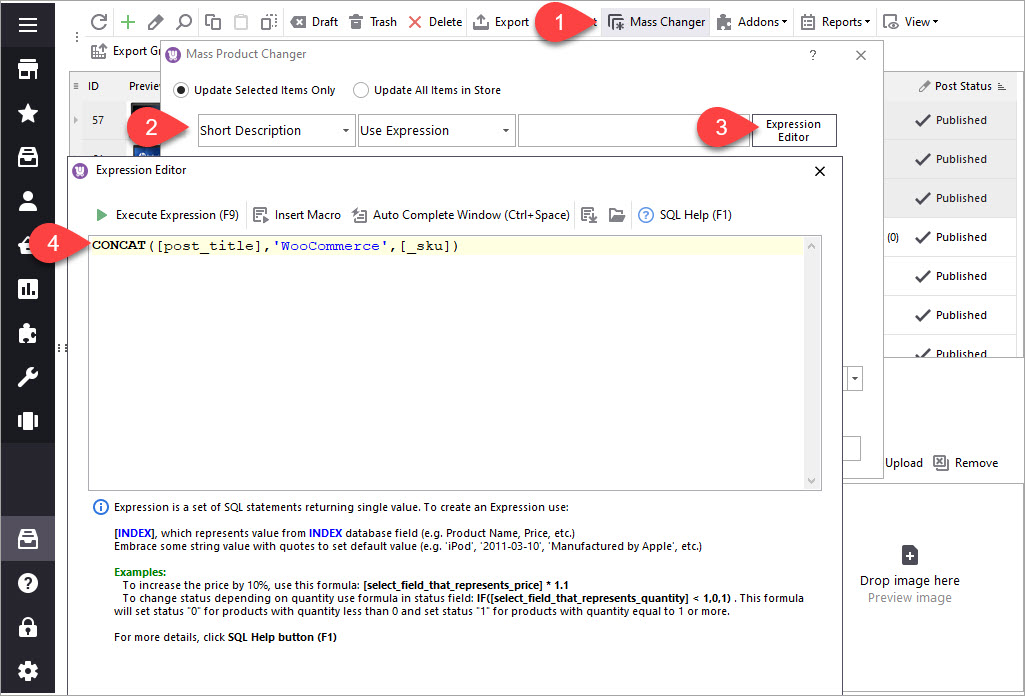
At times there is a necessity to provide short description to products missing it. Mass Product Changer allows to compose short description via an expression - special SQL statement. For example, unique short description will be created if we join product name, SKU and add “WooCommerce” word. Here is the scheme:
Find more tips on how to put WooCommerce products on sale.
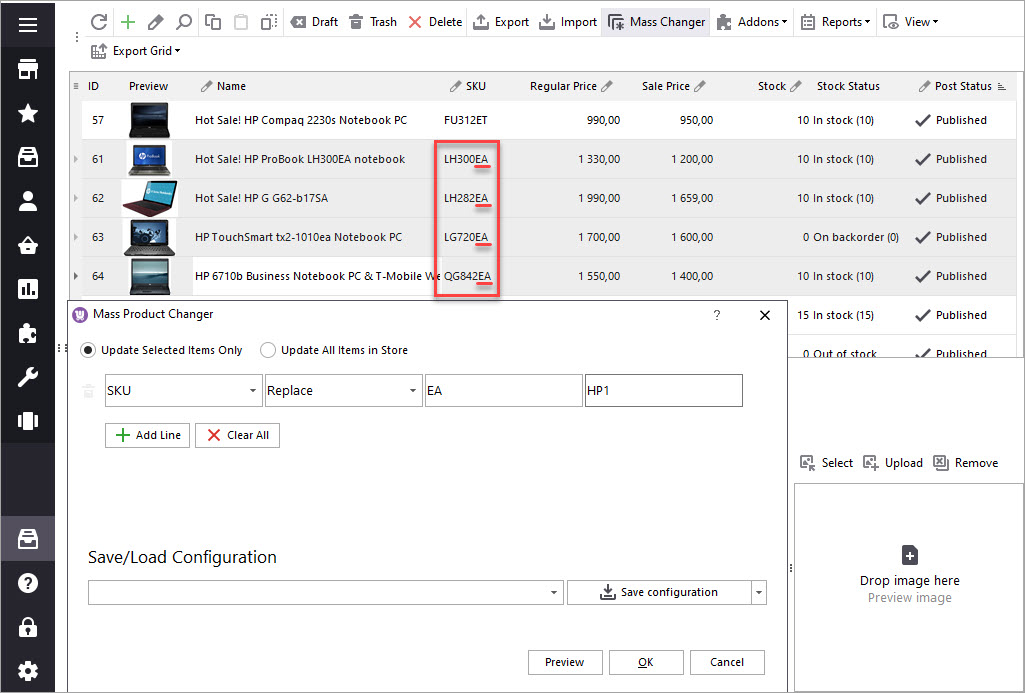
This example demonstrates how to use the "Replace" action. Some listings in our catalog have "_yyy_" symbols in SKU. Our aim is to substitute these symbols with "_test_" for example. See, what we proceed with:
Read more on how to bulk replace data in WooCommerce via Store Manager
Whenever sale season is around the corner, you are usually getting ready with discounts. This sample is just for you. Sale price configuring takes seconds with WooCommerce Mass Product Changer.
Mass Product Changer makes bulk updates more approachable and convenient, since it allows to update any product related fields or even customize changes creating expressions.
Learn how to bulk replace data in WooCommerce (WordPress) – text, images, slug andother fields. Read More...
How to bulk change image Alt text and Other image attributes in WooCommerce. Read More...
Learn how to add and generate variations via Store Manager for WooCommerce. Read More...
How to update WooCommerce product tags in bulk using WooCommerce Product Tags Mass Changer.Read More...