Do you run several WooCommerce stores each on their own hosting service and server? Or you have a WooCommerce Multisite network with stores sharing the same database? In both situations, it takes more time and effort to manage your catalog and sync orders.
Here at a rescue comes Store Manager for WooCommerce, an application that simplifies and speeds up the maintenance of online stores.
Store Manager supports either type of organizing your WooCommerce business. You can connect to all your independent stores and manage them within one interface. Also, you can establish connection to your WooCommerce Multisites database and switch between multiple stores.
In Store Manager, you'll find a set of tools to run your WooCommerce shop network more efficiently:
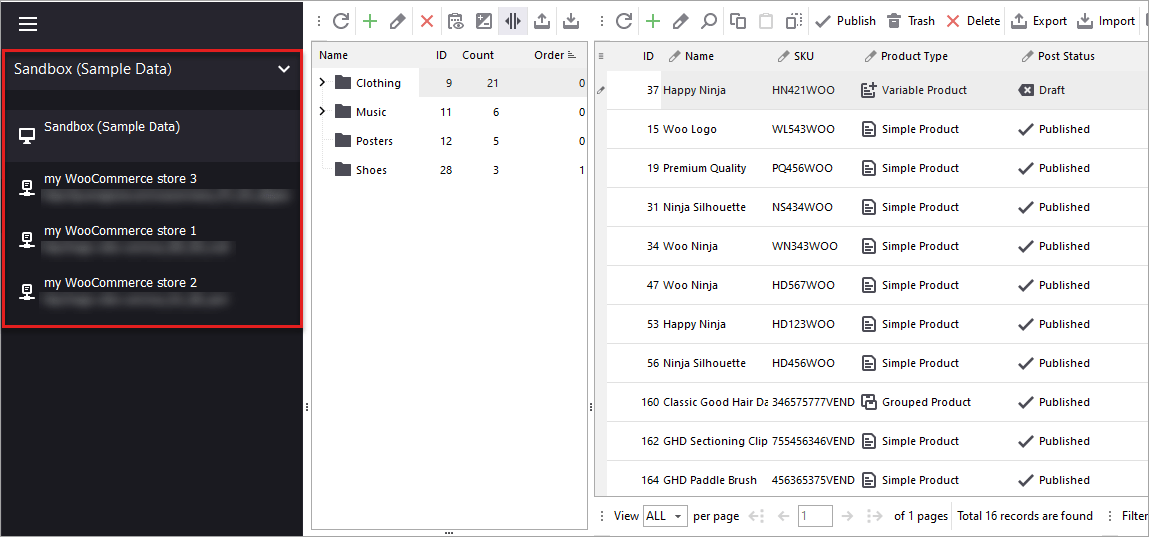
Store Manager for WooCommerce allows you to connect to multiple stores and switch between them using the "Switch Connection" feature:
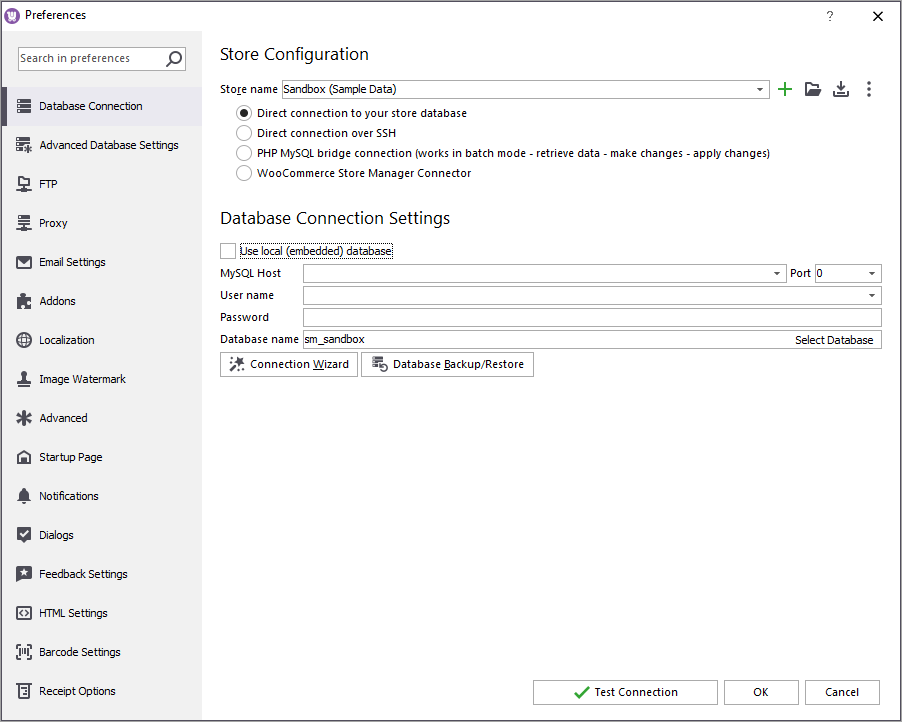
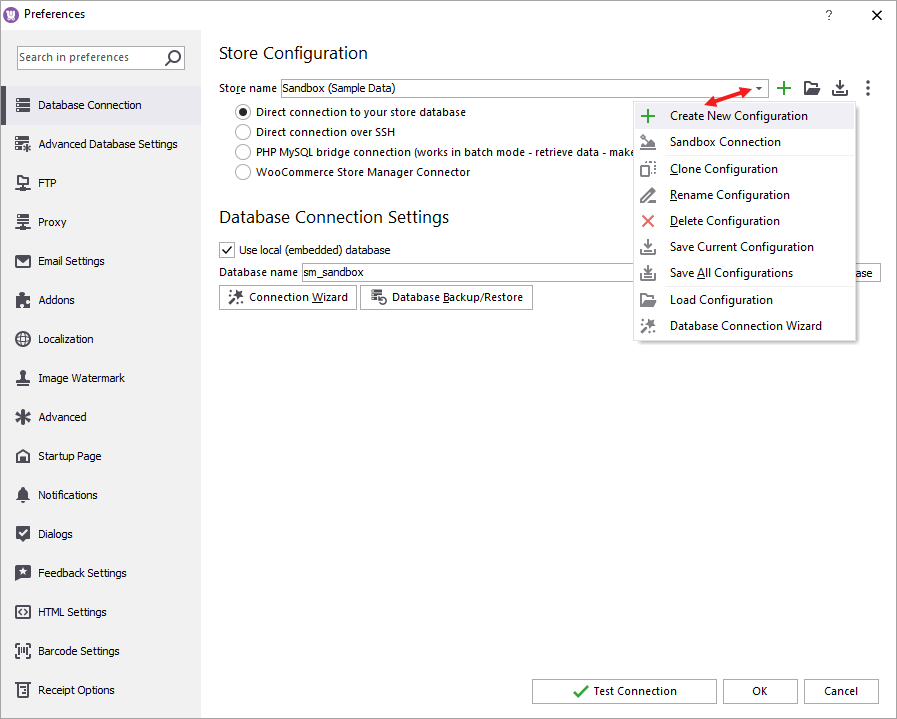
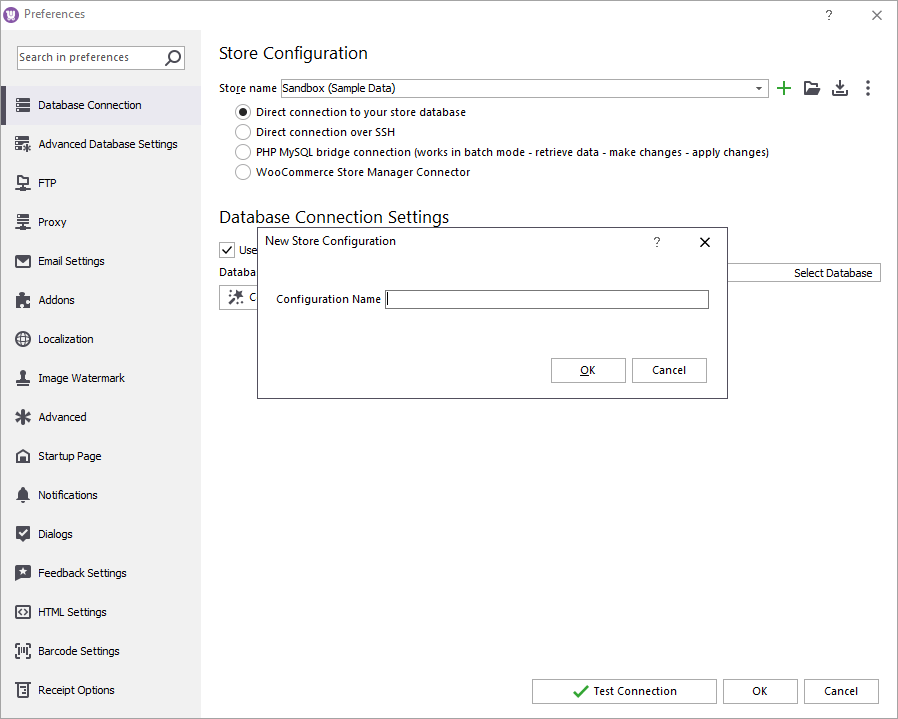
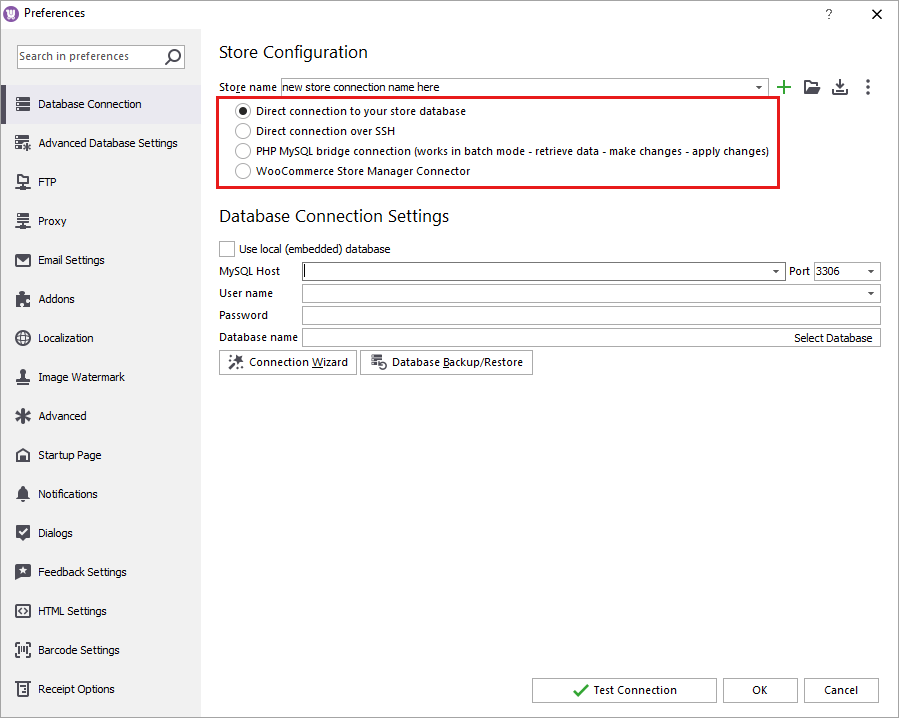
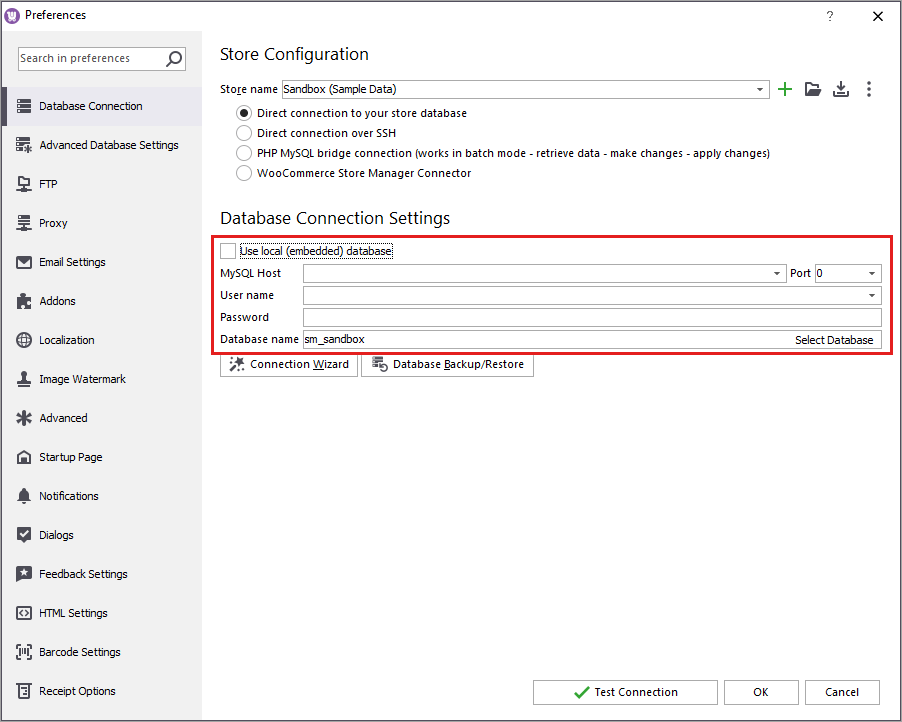
To manage all your multiple stores with Store Manager you need to establish connection to each store. Below are the steps to add a new connection.
The possibility is extremely advantageous, as you don't have to get a separate Store Manager for each WooCommerce store. You can connect one application to a bunch of databases and switch between them in one click when necessary.
Connect to the store database following the instructions.
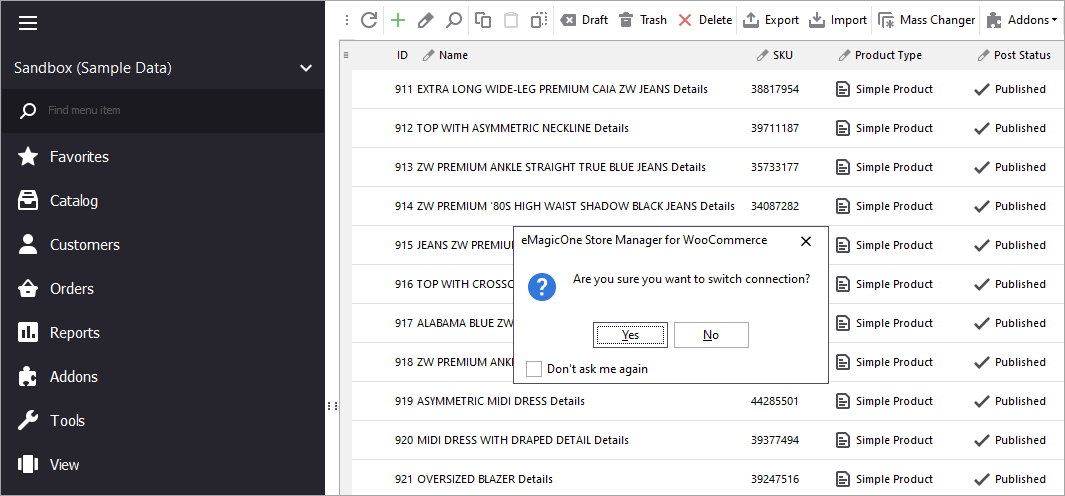
After the connection is established you will see an icon with the name of the main store on the toolbar. Click the icon to see a list of available sites. To switch to another store double-click its name. The data associated with the selected site (catalog tree, products, orders, media library, users) will be automatically displayed in Store Manager:
To enable the management of more than one WooCommerce store from Store Manager, you just have to configure each of the connections. After that, you will be able to switch between them in one click and use all the rich functionality of Store Manager to administer your stores!
Je vous travaillez dans WordPress et woocomerce
Hello, Daoud!
Thank you for your comment.
Store Manager is intended to work with WooCommerce-based store. You can try how it works via the trial version available via "free download" or "try now" buttons available on this page.
If you have additional questions - let us know.